SNES Studi
The professional IDE for Super Nintendo game development.
Visual editors, AI-powered assistance, and a complete build system.
Everything you need
From hardware to code
A complete toolkit that covers every aspect of SNES development, organized into four intuitive levels.
Palette Editor
Full BGR555 color picker with 16 palettes. Includes presets from classic SNES games like Zelda, Metroid, and Chrono Trigger.
Tile Editor
Draw 8x8 tiles pixel-by-pixel with 2bpp, 4bpp, and 8bpp bit depth support. Rotate, flip, and transform with ease.
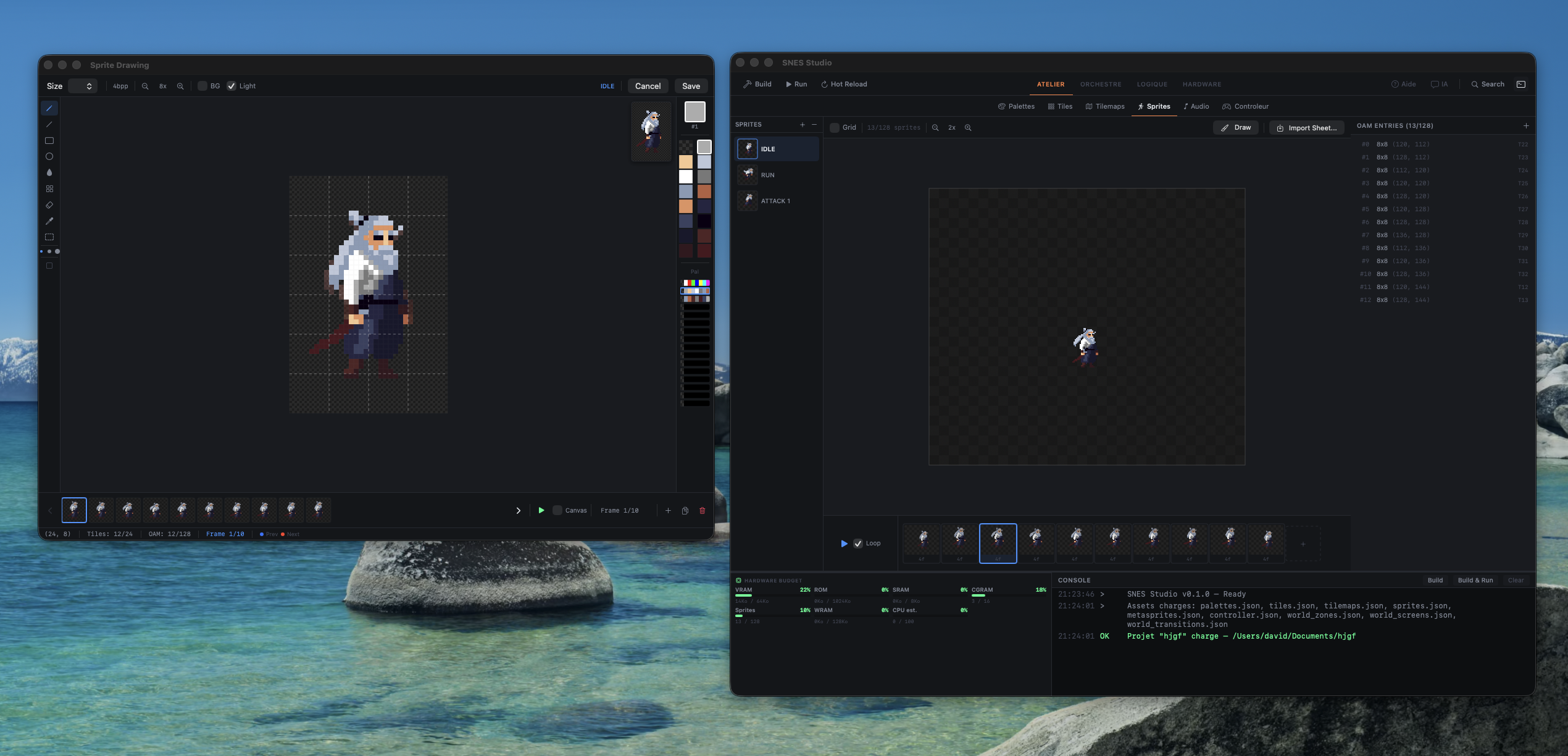
Sprite Animator
Create and animate sprites with a full timeline editor. Import sprite sheets and auto-detect frames.
World & Level Editor
Design worlds with zones, screens, transitions, and parallax layers. Support for overworld, sidescroll, and room-based layouts.
Hardware Awareness
Real-time VRAM budget tracking, cartridge configuration, and memory map visualization. Know your constraints.
AI Assistant
Integrated Claude AI that understands your project. It can modify palettes, generate tiles, write assembly code, and more.
Workflow
The Pyramid
Four levels that guide you from hardware constraints to game logic. Each level builds on the previous one.
Hardware
Understand and configure the SNES hardware. Set cartridge mapping, inspect registers, track VRAM budgets, and visualize the memory map.
Atelier
Create all your game assets. Draw palettes, tiles, sprites, and tilemaps with dedicated visual editors and a pixel-perfect workflow.
Orchestre
Design your game world. Place screens, configure transitions, set up parallax scrolling, and define zones with interactive entities.
Logique
Write your game logic in 65816 assembly with a syntax-highlighted editor, integrated console, and one-click build system using cc65.
Navigate levels with ⌘1⌘2⌘3⌘4
AI-Powered
Your SNES
copilot
An integrated AI assistant that understands SNES hardware, your project, and can directly modify your assets. Ask it to generate palettes, draw sprites, write assembly routines, or explain registers.
Create a forest palette with earthy greens and warm browns
I'll create a forest palette with deep greens, mossy tones, and warm bark browns. Here's what I've set up:
✓ Palette #2 updated — 16 colors
Now draw a simple tree sprite using this palette
Start building
your SNES game
Free, open source, and built for macOS. Download SNES Studio and start creating today.